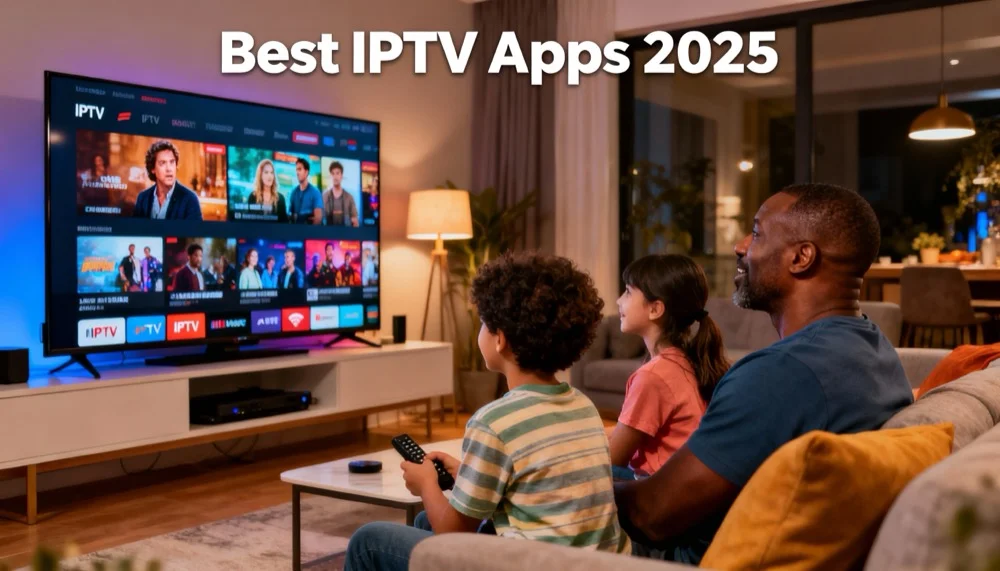
Best IPTV Apps 2026: Top Players & Setup Guide
Best IPTV Apps 2026: Find Your Perfect Streaming Companion! 📱
So you’ve got your IPTV subscription sorted… 🎉
But now you’re staring at your device thinking: “Wait, how do I actually WATCH this?” 🤔
Great question!
See, IPTV services give you the content, but you need an IPTV app (also called a “player”) to actually watch it.
Think of it like this:
- Netflix has its own app 📱
- YouTube has its own app 📱
- But IPTV? You choose your own app! 🎯
The good news? There are AMAZING IPTV apps out there!
The challenge? Picking the right one for YOUR device and needs.
Let me break down the absolute best IPTV apps for 2026, plus step-by-step setup guides! 💪
What Makes a Great IPTV App? 📋
Before we dive into the apps, let’s talk about what separates the best from the rest:
1. User Interface & Experience 🎨
A great IPTV app should be:
- Clean and intuitive
- Easy to navigate
- Fast and responsive
- Looks good on your screen size
Red flag: Clunky, confusing, or outdated interfaces 🚩
2. Format Support 📺
Must support:
- M3U playlists
- Xtream API
- EPG (Electronic Program Guide)
- Multiple video formats (MP4, MKV, TS, etc.)
Bonus points: VOD support, catch-up TV, series organization
3. Performance & Stability 💪
Look for:
- Minimal buffering
- Quick channel switching
- Stable playback
- Good memory management
Avoid: Apps that crash, freeze, or lag constantly ❌
4. Device Compatibility 📱
Best apps work on:
- Android phones/tablets
- iOS devices
- Android TV
- Fire TV Stick
- Smart TVs
- Windows/Mac computers
5. Customization Options ⚙️
Power users want:
- Custom EPG sources
- Favorites organization
- Parental controls
- Video quality settings
- Subtitle support
6. Regular Updates 🔄
Active development means:
- Bug fixes
- New features
- Security updates
- Compatibility improvements
Now let’s dive into the best apps! 🚀
🏆 Best IPTV Apps for Android (Phone/Tablet)
#1: TiviMate IPTV Player ⭐⭐⭐⭐⭐
Why it’s the best:
- Interface: Gorgeous, Netflix-like design
- Performance: Lightning fast, zero lag
- Features: EPG, favorites, catch-up, recording
- Customization: Themes, layouts, parental controls
Best for: Power users who want the premium experience
Price: Free (basic) / Premium ($4.99/year)
Setup difficulty: Easy ✅
Snel IPTV compatibility: Perfect! ✅
#2: IPTV Smarters Pro ⭐⭐⭐⭐
Why it’s great:
- Interface: Clean, professional design
- Features: Multi-playlist support, VOD, series
- Compatibility: Works with most IPTV services
- Updates: Regular improvements
Best for: Users who want reliability and features
Price: Free
Setup difficulty: Easy ✅
Snel IPTV compatibility: Excellent! ✅
#3: Perfect Player IPTV ⭐⭐⭐⭐
Why it’s popular:
- Simplicity: Straightforward, no-fuss interface
- Performance: Very stable and fast
- Customization: Good layout options
- Price: Completely free
Best for: Users who want simple and reliable
Price: Free
Setup difficulty: Very Easy ✅
Snel IPTV compatibility: Great! ✅
🔥 Best IPTV Apps for Fire TV Stick
#1: TiviMate IPTV Player ⭐⭐⭐⭐⭐
Why it dominates Fire TV:
- Remote-friendly: Perfect for TV navigation
- Performance: Smooth on Fire TV hardware
- Features: Full EPG, catch-up, recording
- Updates: Optimized for Fire TV regularly
Installation: Sideload required (we’ll show you how!)
#2: IPTV Smarters Pro ⭐⭐⭐⭐
Great Fire TV option:
- Official app: Available on Amazon App Store
- Interface: TV-optimized design
- Features: VOD, series, multi-playlist
- Setup: Direct download, no sideloading
#3: Downloader + Perfect Player ⭐⭐⭐⭐
Budget-friendly combo:
- Cost: Both apps are free
- Performance: Reliable on Fire TV
- Setup: Use Downloader to get Perfect Player
- Interface: Simple but effective
📺 Best IPTV Apps for Smart TVs
Samsung Tizen OS:
#1: Smart IPTV ⭐⭐⭐⭐
- Native app: Available on Samsung App Store
- Simple setup: Just add your playlist URL
- Performance: Smooth on Tizen
- Price: $5.49 one-time
LG webOS:
#1: SS IPTV ⭐⭐⭐⭐
- Free app: Available on LG Content Store
- Easy setup: Web-based configuration
- Features: EPG support, favorites
- Stability: Very reliable
Android TV:
#1: TiviMate ⭐⭐⭐⭐⭐
- Best overall: Same great experience as mobile
- Installation: Download from Play Store
- Performance: Excellent on Android TV
- Features: Full feature set
🍎 Best IPTV Apps for iOS (iPhone/iPad)
#1: IPTV Smarters Pro ⭐⭐⭐⭐⭐
Why it’s #1 on iOS:
- App Store: Official app, easy download
- Interface: iOS-optimized design
- Features: Complete IPTV solution
- Updates: Regular iOS compatibility updates
#2: GSE Smart IPTV ⭐⭐⭐⭐
Great iOS alternative:
- Features: EPG, favorites, parental controls
- Performance: Smooth on all iOS devices
- Interface: Clean, Apple-like design
- Price: Free with ads / Premium $2.99
#3: nPlayer ⭐⭐⭐
Media player option:
- Versatility: Plays everything, including IPTV
- Quality: Excellent video/audio support
- Interface: Simple and effective
- Price: $2.99
💻 Best IPTV Apps for PC/Mac
Windows:
#1: VLC Media Player ⭐⭐⭐⭐⭐
- Free: Completely free and open-source
- Reliable: Rock-solid performance
- Features: Supports M3U, EPG, subtitles
- Setup: Just open your playlist file
#2: Kodi + PVR IPTV Simple Client ⭐⭐⭐⭐
- Powerful: Ultimate customization
- Features: Full media center experience
- Learning curve: More complex setup
- Free: Completely free
Mac:
#1: IINA ⭐⭐⭐⭐⭐
- Native: Built for macOS
- Performance: Excellent on Apple Silicon
- Interface: Beautiful, Mac-like design
- Features: IPTV support, EPG, subtitles
#2: VLC Media Player ⭐⭐⭐⭐
- Cross-platform: Same great VLC experience
- Reliable: Proven IPTV compatibility
- Free: No cost, full features
Step-by-Step Setup Guides 📖
Setting Up TiviMate (Android/Fire TV)
Step 1: Download TiviMate
- Android: Google Play Store
- Fire TV: Sideload using Downloader app
Step 2: Open TiviMate
- Launch the app
- Select “Add Playlist”
Step 3: Enter Your Snel IPTV Details
- Choose “Xtream Codes API”
- Enter your server URL
- Add your username
- Add your password
- Click “Add”
Step 4: Enjoy!
- Wait for channels to load
- Browse EPG
- Set up favorites
- Start streaming! 🎉
Setting Up IPTV Smarters Pro (Any Device)
Step 1: Download the App
- Android: Play Store
- iOS: App Store
- Fire TV: Amazon App Store
Step 2: Open IPTV Smarters Pro
- Launch app
- Select “Login with Xtream Codes API”
Step 3: Add Your Snel IPTV Account
- Name: “Snel IPTV” (or any name)
- Username: Your Snel username
- Password: Your Snel password
- URL: Your Snel server URL
- Tap “Add User”
Step 4: Start Watching
- Select “Live TV”
- Choose your channel
- Enjoy premium streaming! ✅
Setting Up Smart IPTV (Samsung TV)
Step 1: Download Smart IPTV
- Open Samsung App Store
- Search “Smart IPTV”
- Install the app ($5.49)
Step 2: Get Your MAC Address
- Open Smart IPTV
- Note the MAC address shown
- Go to siptv.app on your phone/computer
Step 3: Upload Your Playlist
- Enter your MAC address
- Upload your Snel IPTV M3U file
- Save configuration
Step 4: Restart and Watch
- Close Smart IPTV
- Reopen the app
- Your channels will load automatically! 📺
IPTV App Comparison Table 📊
| App | Platform | Price | Ease of Use | Features | Rating |
|---|---|---|---|---|---|
| TiviMate | Android, Fire TV | Free/Premium | ⭐⭐⭐⭐ | ⭐⭐⭐⭐⭐ | 9.5/10 |
| IPTV Smarters Pro | All Platforms | Free | ⭐⭐⭐⭐⭐ | ⭐⭐⭐⭐ | 9/10 |
| Perfect Player | Android, Fire TV | Free | ⭐⭐⭐⭐⭐ | ⭐⭐⭐ | 8/10 |
| Smart IPTV | Samsung TV | $5.49 | ⭐⭐⭐ | ⭐⭐⭐ | 7.5/10 |
| SS IPTV | LG TV | Free | ⭐⭐⭐⭐ | ⭐⭐⭐ | 7.5/10 |
| GSE Smart IPTV | iOS | Free/Premium | ⭐⭐⭐⭐ | ⭐⭐⭐⭐ | 8.5/10 |
| VLC | PC/Mac | Free | ⭐⭐⭐ | ⭐⭐⭐ | 8/10 |
Pro Tips for IPTV Apps 💡
1. Always Use the Latest Version 🔄
Why it matters:
- Bug fixes
- Security updates
- New features
- Better compatibility
How to check:
- Enable auto-updates
- Check app stores regularly
- Follow official social media
2. Optimize Your Settings ⚙️
For best performance:
- Buffer size: Set to 3-5 seconds
- Hardware acceleration: Enable if available
- Video quality: Match your internet speed
- EPG: Update frequency to 12-24 hours
3. Keep Backup Apps 💾
Smart strategy:
- Install 2-3 different apps
- Test each one
- Keep backups for reliability
- Different apps excel at different things
4. Use External EPG Sources 📅
Better program guides:
- More accurate schedules
- Faster loading
- Better channel mapping
- Regular updates
5. Organize Your Favorites ⭐
Better experience:
- Create custom groups
- Hide channels you don’t watch
- Sort by preference
- Use parental controls for kids
Common IPTV App Issues & Solutions 🔧
Issue: “Playlist not loading”
Solutions:
- Check your internet connection
- Verify login credentials
- Try a different server
- Contact Snel IPTV support
Issue: “Buffering constantly”
Solutions:
- Lower video quality
- Increase buffer size
- Switch to different server
- Check your internet speed
Issue: “EPG not showing”
Solutions:
- Update EPG manually
- Check EPG URL
- Clear app cache
- Use external EPG source
Issue: “App keeps crashing”
Solutions:
- Update the app
- Restart your device
- Clear app cache/data
- Try a different app
Best IPTV Apps by Use Case 🎯
For Beginners: IPTV Smarters Pro
- Why: Simple setup, works everywhere
- Platform: All devices
- Learning curve: Minimal
For Power Users: TiviMate
- Why: Advanced features, customization
- Platform: Android, Fire TV
- Learning curve: Moderate
For Smart TVs: Smart IPTV (Samsung) / SS IPTV (LG)
- Why: Native apps, TV-optimized
- Platform: Specific to TV brand
- Learning curve: Easy
For iOS Users: IPTV Smarters Pro
- Why: Official App Store app
- Platform: iPhone, iPad
- Learning curve: Easy
For PC Users: VLC Media Player
- Why: Free, reliable, familiar
- Platform: Windows, Mac, Linux
- Learning curve: Easy
For Fire TV: TiviMate
- Why: Best Fire TV experience
- Platform: Fire TV Stick, Fire TV Cube
- Learning curve: Moderate
Security & Privacy Tips 🛡️
1. Download from Official Sources Only
Safe sources:
- Google Play Store
- Apple App Store
- Amazon App Store
- Official developer websites
Avoid:
- Random APK sites
- Unofficial app stores
- Cracked/modded versions
2. Check App Permissions
Red flags:
- Access to contacts
- Camera/microphone when not needed
- Location tracking
- SMS/call permissions
3. Keep Apps Updated
Why it matters:
- Security patches
- Privacy improvements
- Bug fixes
- Performance enhancements
4. Use Legal IPTV Services
Like Snel IPTV:
- Proper licensing
- Secure infrastructure
- Privacy protection
- Legal compliance
IPTV App Myths Busted! 💥
Myth 1: “Free apps are always worse”
Reality: Many excellent free IPTV apps exist!
Examples: Perfect Player, VLC, SS IPTV
Truth: Free can be fantastic for basic needs!
Myth 2: “You need to root/jailbreak for IPTV apps”
Reality: Almost all great IPTV apps work without rooting!
Truth: Official app stores have excellent options!
Myth 3: “IPTV apps are illegal”
Reality: IPTV apps are just video players!
Truth: The apps are legal, content licensing matters!
Myth 4: “More expensive = better”
Reality: Price doesn’t always equal quality!
Truth: Some free apps outperform paid ones!
Myth 5: “One app works for everything”
Reality: Different apps excel in different areas!
Truth: Having 2-3 apps gives you flexibility!
Future of IPTV Apps 🚀
What’s Coming in 2026:
1. AI-Powered Recommendations
- Smart content suggestions
- Viewing habit analysis
- Personalized interfaces
2. Better 4K/8K Support
- Hardware acceleration
- Optimized streaming
- Enhanced quality controls
3. Voice Control Integration
- Alexa/Google Assistant
- Voice search
- Hands-free navigation
4. Cloud DVR Features
- Remote recording
- Cross-device sync
- Extended storage
5. Social Features
- Watch parties
- Sharing recommendations
- Community features
Our Top Recommendations 🏆
For Most Users: IPTV Smarters Pro
Why: Works everywhere, easy setup, regular updates, free!
For Android Power Users: TiviMate Premium
Why: Best features, beautiful interface, worth the upgrade!
For Fire TV: TiviMate
Why: Perfect Fire TV optimization, remote-friendly design!
For Smart TVs: Native Apps
Why: No extra hardware needed, TV-optimized experience!
For Computers: VLC Media Player
Why: Free, reliable, familiar interface, extensive format support!
Getting Started with Snel IPTV Apps 🎯
Ready to start streaming?
- Pick your device (phone, TV, tablet, etc.)
- Choose an app from our recommendations
- Download from official source
- Get your Snel IPTV subscription if you haven’t already
- Follow our setup guide above
- Start enjoying 20,000+ channels! 📺
Need Help? We’ve Got You! 🙋♂️
Setting up IPTV apps can seem overwhelming…
But here’s the thing: You’re not alone!
Snel IPTV includes:
- ✅ Free setup assistance
- ✅ 24/7 support via WhatsApp
- ✅ Step-by-step guides
- ✅ App recommendations
- ✅ Troubleshooting help
Questions about any app? Just ask! We’ll help you get streaming in minutes! 💪
Ready to Start Streaming? 🚀
Don’t let app confusion stop you from enjoying amazing IPTV!
With the right app + Snel IPTV = Perfect streaming experience! ✨
🎉 Special Offer - 40% OFF Snel IPTV! Limited-time Black Friday pricing. Perfect time to start!
Get Your Snel IPTV Subscription Now - Free setup help included!
✅ Works with ALL the apps mentioned above ✅ 20,000+ HD/4K channels ✅ Free app setup assistance ✅ 24/7 technical support ✅ 7-day money-back guarantee
Stop struggling with complicated setups. Let us help you stream perfectly! 🎯
Questions about IPTV apps or need setup help? Our technical team is here 24/7! Contact us via WhatsApp, live chat, or email.
Last updated: October 17, 2026
Ready to Experience Premium IPTV?
Join over 50,000 satisfied customers streaming 32,670+ channels in stunning 4K quality
Start Your Free Trial Now